Step 1 – Connect Matic Mainnet to your MetaMask.
Step 2 – Click on the network selection on the top of the app.
Step 3 – Click on “Custom RPC” to add Matic Mainnet Information. This method allows you to add any network with Custom RPC.
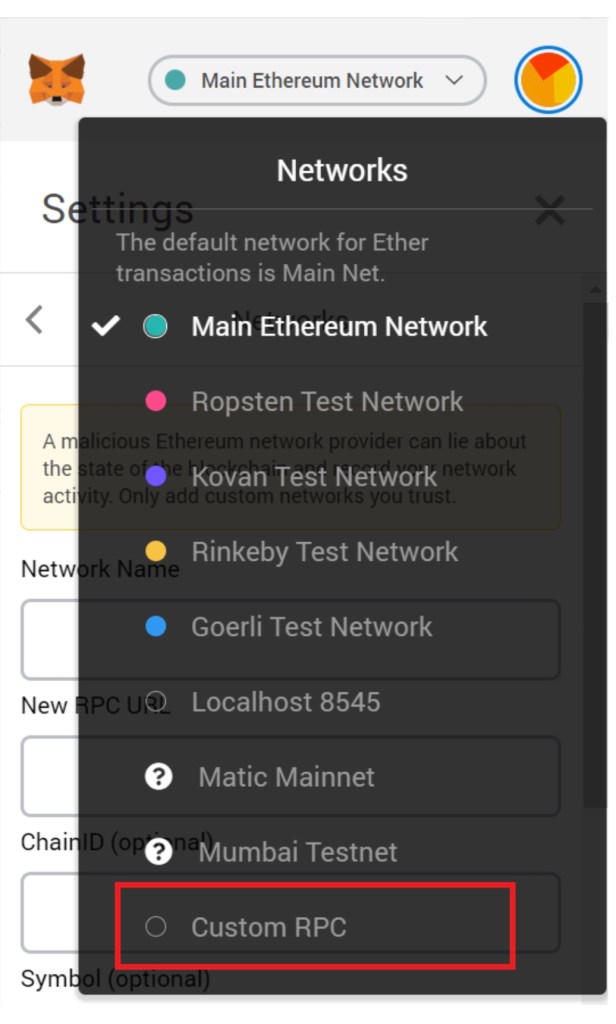
After clicking “Custom RPC” You should get a different interface which allows you to set up Custom RPC.
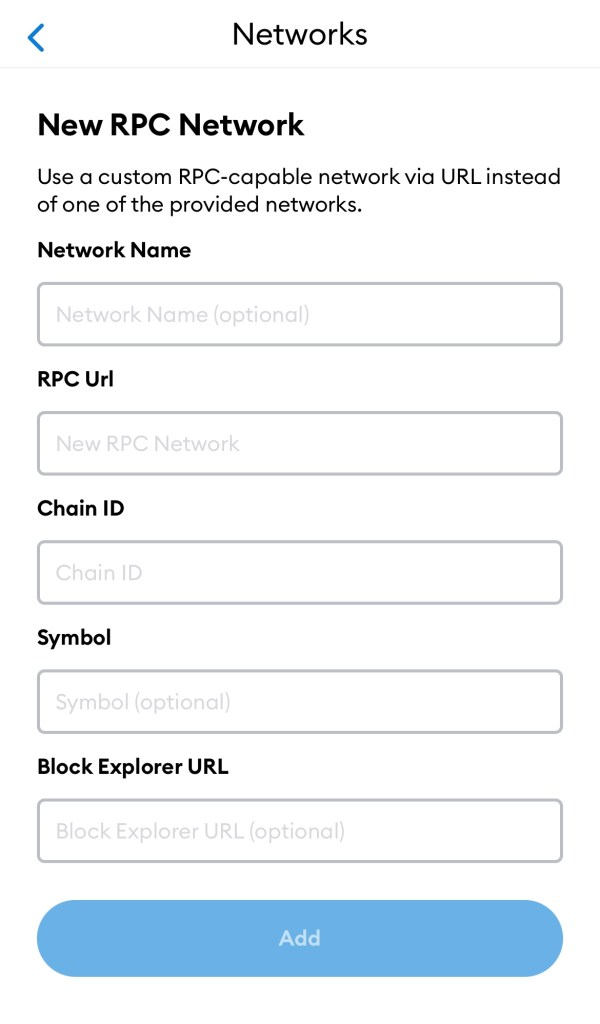
Step 4 – Once this Interface pops up, you’ll need to add basic information in the spaces. There are multiple ways but you can refer to the one given below.
Network Name – Polygon Mainnet
RPC URL – https://polygon-rpc.com/
Chain ID – 137
Symbol – MATIC
Block Explorer URL – https://polygonscan.com
Step 5 – Make sure you’ve filled each and every field. Once you’re done adding this information in the field click on “Save” And there you go! You’ve now successfully added Matic Mainnet to your metamask using A Custom RPC.

 CYBERDOGZ Daily
Leave a comment